My Role
Designer & developer: research, prototyping, ideation, usability, coding, re-design
Team
1 UX Manager
2 Web Developers
Tools
Adobe CC, HTML, CSS, JavaScript, React.js, Gitlab, AWS
Platform
Desktop, Tablet, Mobile
Overview
StoryCarnival is a web application for young children fostering creativity, face-to-face communication, and a connection to the social and physical environment. It features pre-made stories with animal characters that inspire make-believe play. Children select an animal and embark on imaginative adventures, often reenacting story events or exploring new possibilities.

Problem
Parents and childcare professionals face challenges in using StoryCarnival due to unclear guidance and instructions, impacting the app’s usability and educational value for children.
StoryCarnival users, including parents, caregivers, and educators, aim to use the app for educational and entertaining activities to engage children effectively.
Users
Discovery




I inherited a previous tutorial version in video format, narrated by another researcher. To create my own version, I transcribed the script. Additionally, I received access to pre-designed elements from another developer, which included:
The logo
Story pages
Characters
The character selection screen
The interface for using the MiniBird voice agent
Ideation


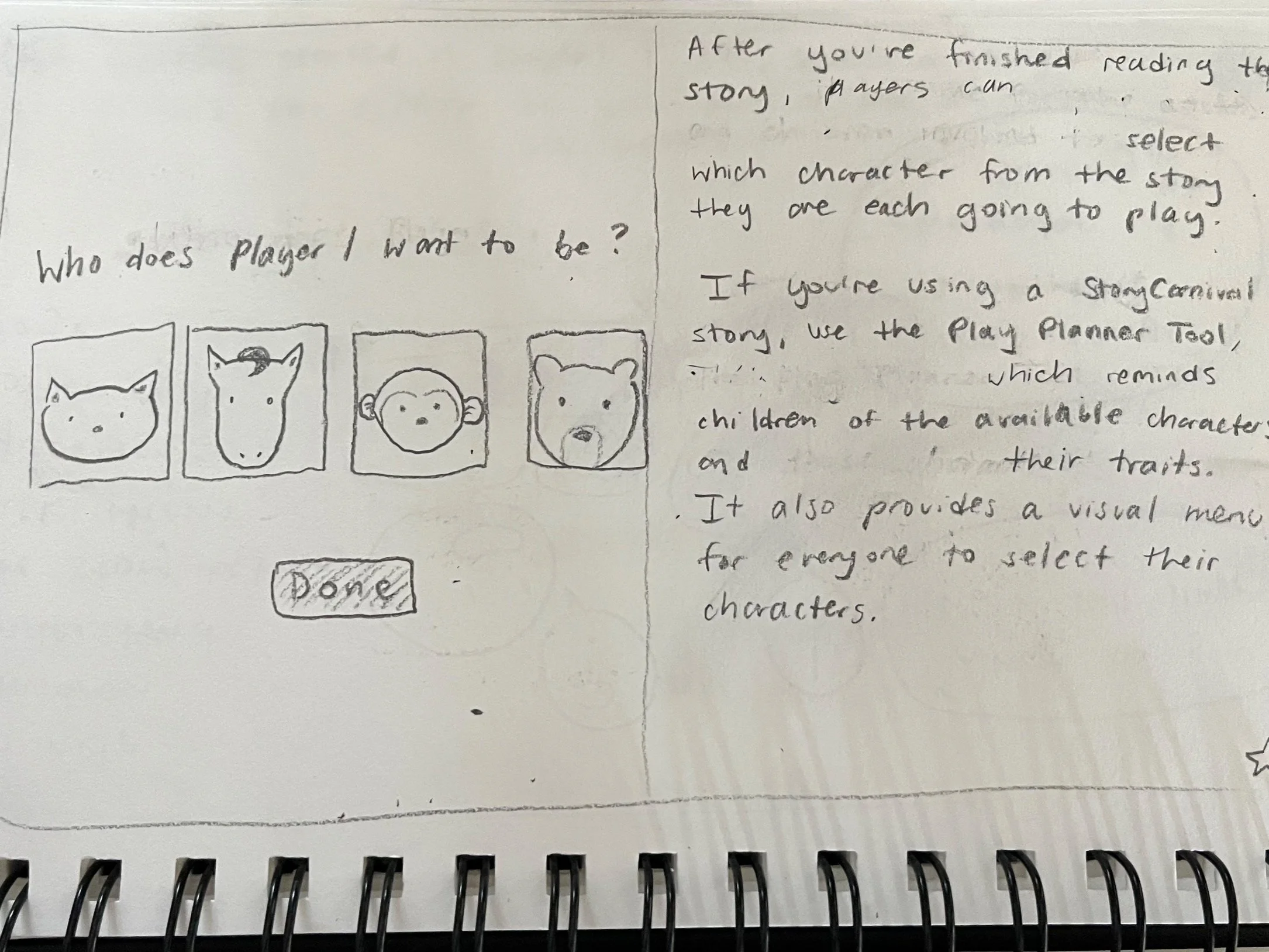

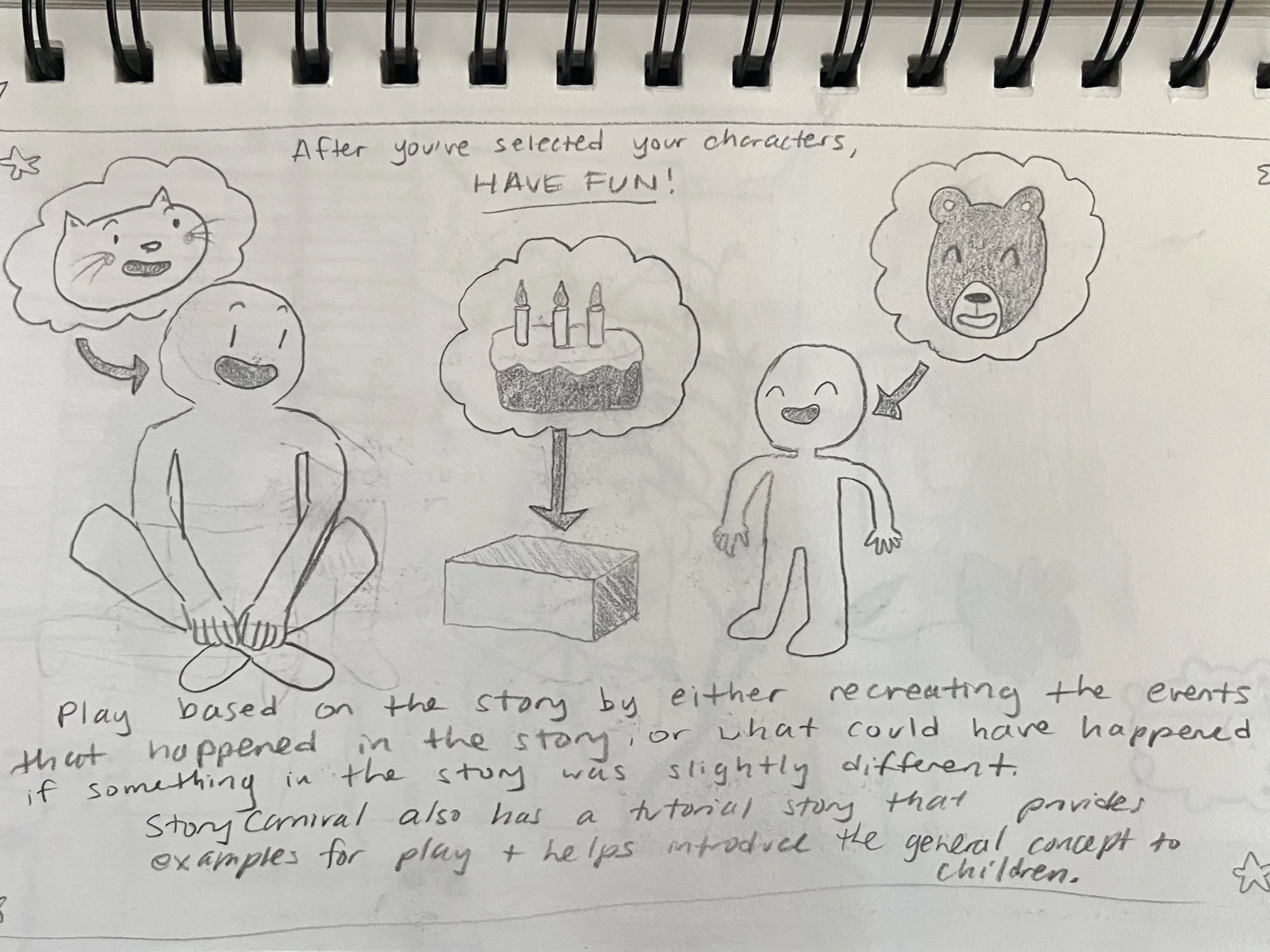
I began the ideation process for the tutorial by sketching initial storyboards in my sketchbook, blending the StoryCarnival design style with my own interpretation. To enhance user comprehension, I divided the tutorial video transcription into manageable section, which I transformed each into a storyboard.
These storyboards were enriched with relevant illustration and graphics. While I leveraged pre-designed assets like the logo and the characters, I also infused my own creativity by incorporating original drawings, including generic props and neutral figures.
Team Insights


During our team meetings, whether in the Computer Science department or via Zoom calls, we made significant insights while planning the tutorial:
We recognized that while we had a comprehensive tutorial for users on how to use StoryCarnival, there was a crucial missing piece - an introduction. Without it, users understood the mechanics but missed the purpose.
To address this gap, we decided to integrate both the tutorial and the introduction seamlessly into the website.
Accessibility was a top priority for us, so we planned to implement text-to-speech functionality for both sections.
To maintain consistency with our pre-made stories, we designed the tutorial in a way that required users to click between pages, ensuring a familiar user experience.
Ideation 2.0
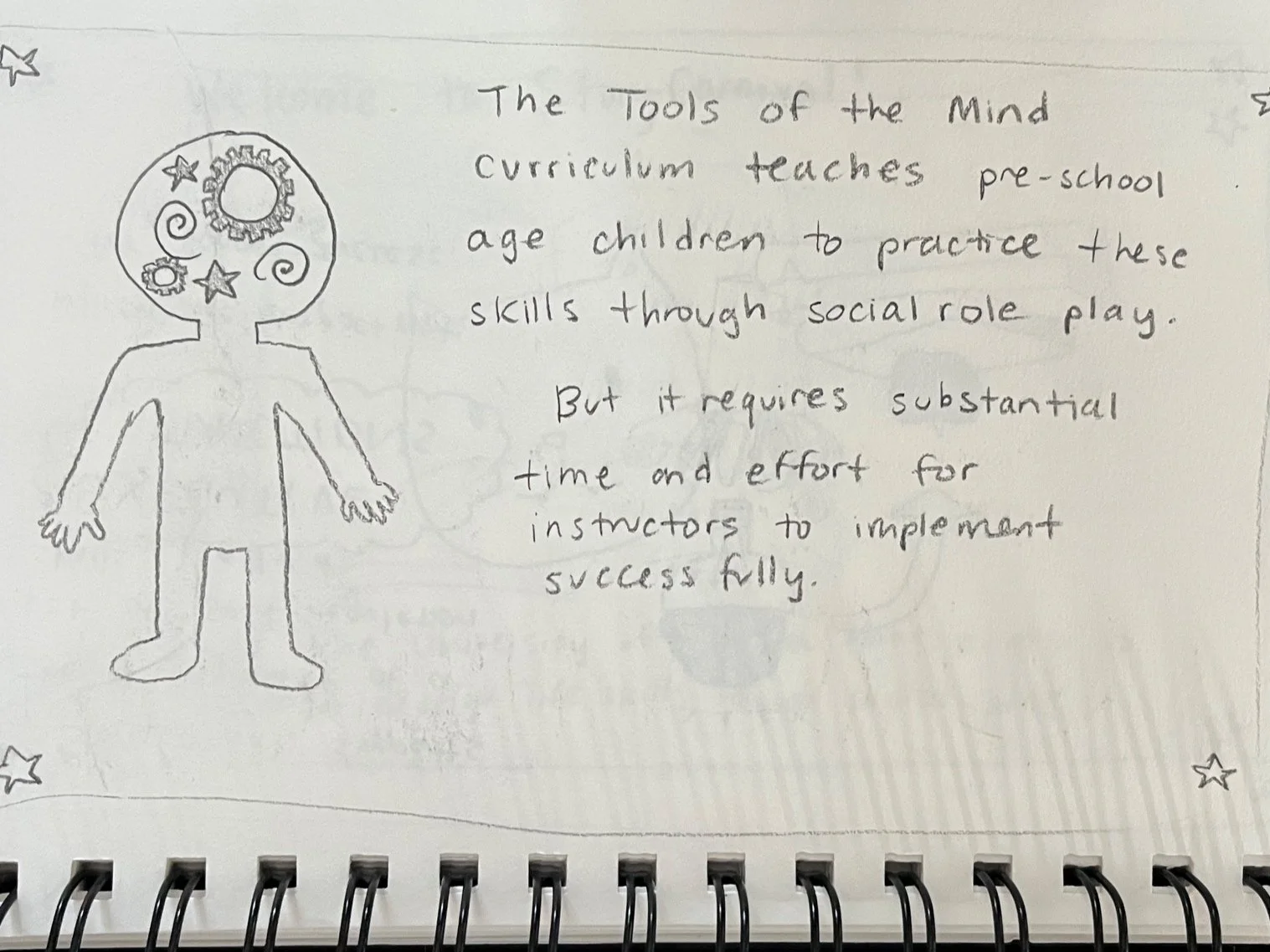
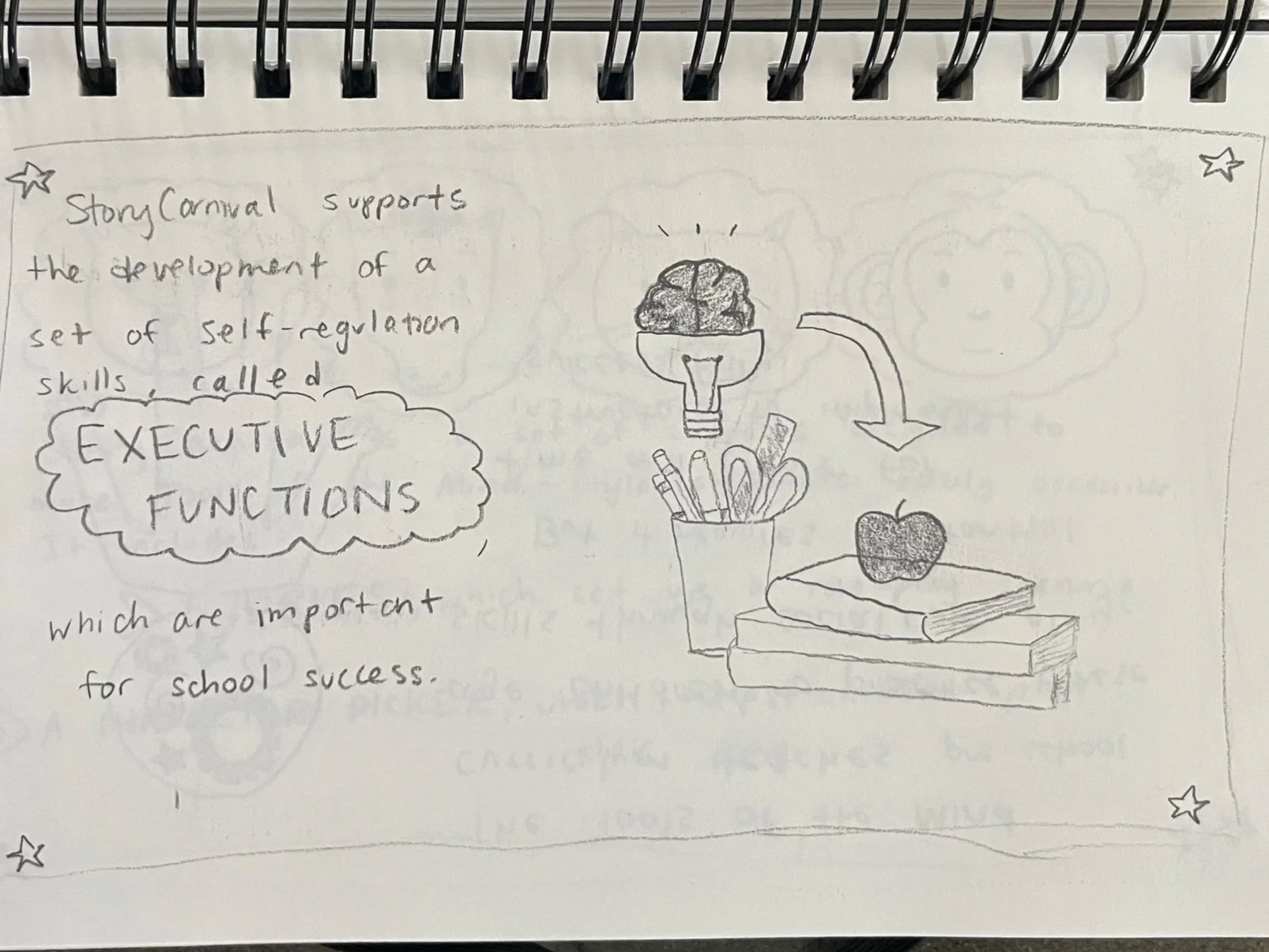
After consulting with the UX manager to determine the content for the introduction, I embarked on creating another set of storyboards. This introduction served as an elucidation of the StoryCarnival philosophy and its appeal to specific users.





Challenges
-
Initially, the pages created in Adobe Illustrator posed an issue as they wouldn’t display properly until I converted them from PSD into PNG.
-
While I originally considered using a human narrator for each page, the team ultimately opted for the voices of characters from Amazon Web Services. This decision resulted in a robotic and less inviting tone.
-
I envisioned a user-friendly experience with a play/pause button on each page for narration control. However, the absence of this option may distract users who prefer reading the text.
-
We used the term “caregiver” to encompass both parents and professionals, but later decided to differentiate between the two to align with distinct research guidelines for each group.
Outcome
Publications
-
There has been a dramatic growth in interactive technology use by children under the age of 5 during the past decade. Despite this growth, children under the age of 5 typically participate only as users or testers in the design process in the overwhelming majority of projects targeting this population presented in key child-computer interaction venues. In this paper we introduce play-based design, an age-appropriate design method to give 3-4-year-old children a voice in the design process. More specifically, we contribute a thorough analysis of the use of existing methods to design technologies for children under the age of 5, a summary of the process that resulted in the development of play-based design, a detailed description of play-based design, a qualitative analysis of our experience implementing play-based design with two groups of children, and a discussion of play-based design’s place among other methods, its advantages, and limitations.
-
High-quality sociodramatic play helps children develop executive function skills which bolster their performance in school. Technology supports can scaffold social play for children who struggle to engage otherwise. This case study examines the impact of a specific system, StoryCarnival, on one 3-year-old child’s engagement in sociodramatic play with his peers. Comparing this child’s participation in sessions using either StoryCarnival or a traditional intervention over eight weeks, StoryCarnival appeared to lower barriers to this child’s physical and verbal engagement in social play. Future research could identify whether this pattern may hold for other children who have trouble entering social play with peers.
-
Executive functions (EF), a set of cognitive processes necessary for goal-oriented behavior, are critical for children’s school outcomes and often lacking when children arrive in elementary school. One of the most promising interventions to address this gap is Tools of the Mind (ToM), a Vygotskyan approach to early childhood education with a strong emphasis on sociodramatic play. One challenge in implementing this kind of play is supporting children in joining play with their peers. In this paper we present a content analysis of an eight-week evaluation comparing implementing ToM-style play with and without technology supports. We found that one specific aspect of the technology supports, a voice agent, played a crucial role in integrating shy children into sociodramatic play.
-
There is growing interest in teaching computational thinking (CT) to preschool children given evidence that they are able to understand and use CT concepts. One of the concepts that is central in CT definitions, is the concept of control structures, but it is not clear which tools and activities are successful in teaching it to young learners. This work aims at (1) providing a comprehensive overview of tools that enable preschool children to build programs that include control structures, and (2) analyzing empirical evidence of the usage of these tools to teach control structures to children between 3 and 6. It consists of three parts: systematic literature review (SLR) to identify tools to teach CT to young children, analysis of tools characteristics and the possibilities that they offer to express control structures, and SLR to identify empirical evidence of successful teaching of control structures to young children using relevant tools. This work provides an understanding of the current state of the art and identifies areas that require future exploration.
-
In the context of a pandemic that has had wide-ranging negative impacts on preschool children's socioemotional development it is important to consider uses of technology to support children re-engaging socially with peers. In this article, we review the landscape of systems to support children's face-to-face collaboration and identify an underexplored approach that could be well suited for the current context: using technology in a peripheral role to support activities where the focus is on other children and non-electronic objects and where children are free to engage with the physical space around them with the support of adults. We then present a pre-pandemic evaluation of StoryCarnival, a system with these underexplored characteristics, designed to support preschool children's sociodramatic play, for which there is evidence of numerous benefits that can positively impact children's socioemotional development. The results of the evaluation comparing sociodramatic play with and without StoryCarnival's support suggest that while not being the focus of the activity, StoryCarnival's components changed the dynamics of play for the children in the study during our observations, such that children displayed more mature play characteristics. Our discussion includes implications for child-computer interaction and considerations for the pandemic context.
Other Projects